● for the HackberryPi CM5 · Raspberry Pi OS

One-stop network audit
in your pocket

Walk into any network you manage — Linux, Windows Active Directory, or mixed — and get an instant, compact overview plus prioritised recommendations. A keyboard-driven terminal UI built for the HackberryPi's small display.

HackberryPiOS dashboard showing a network health score and prioritised recommendations

Everything in one place

A toolbox of focused scanners, one keyboard-driven dashboard, zero agents on your targets.

🩺

Network health score

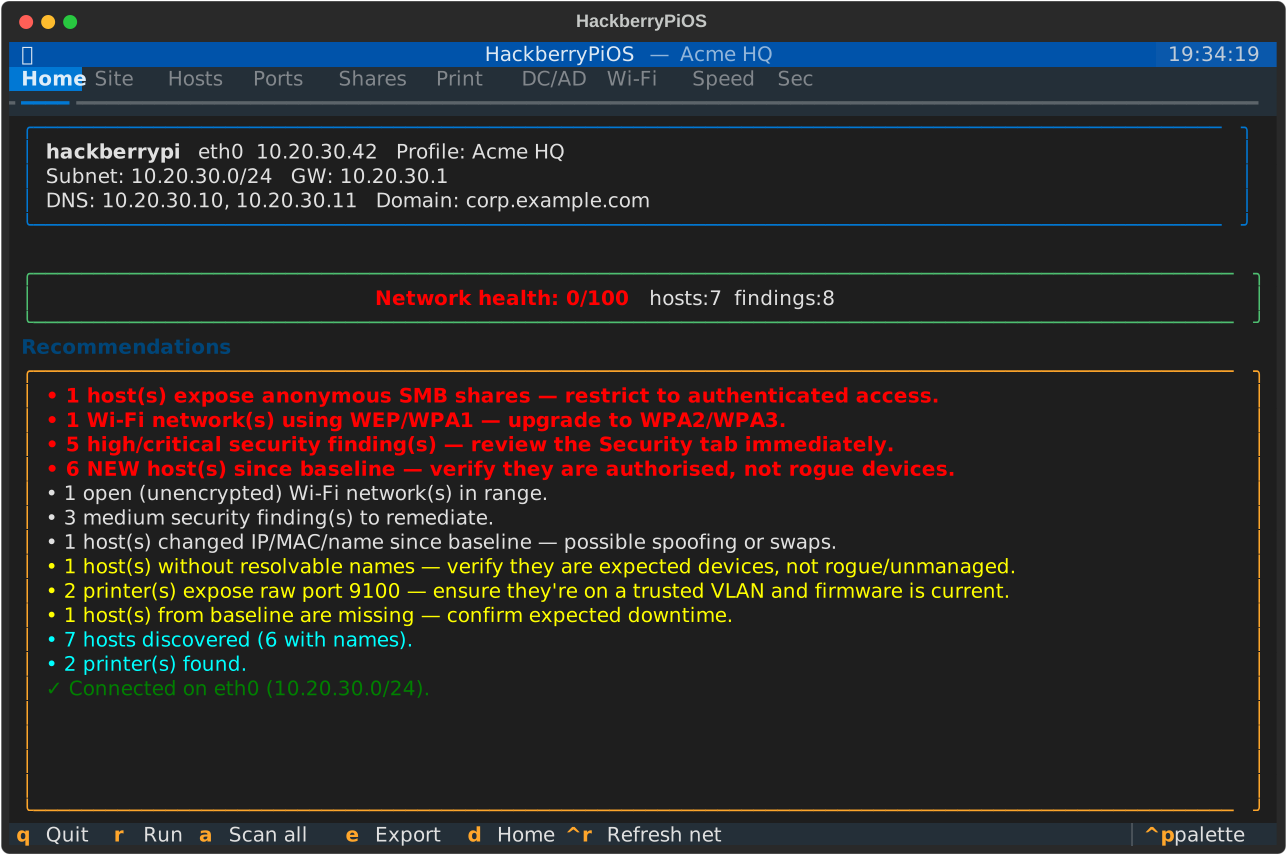
A 0–100 score and a colour-coded, prioritised action list — your instant overview the moment you connect.

🖥️

Host discovery

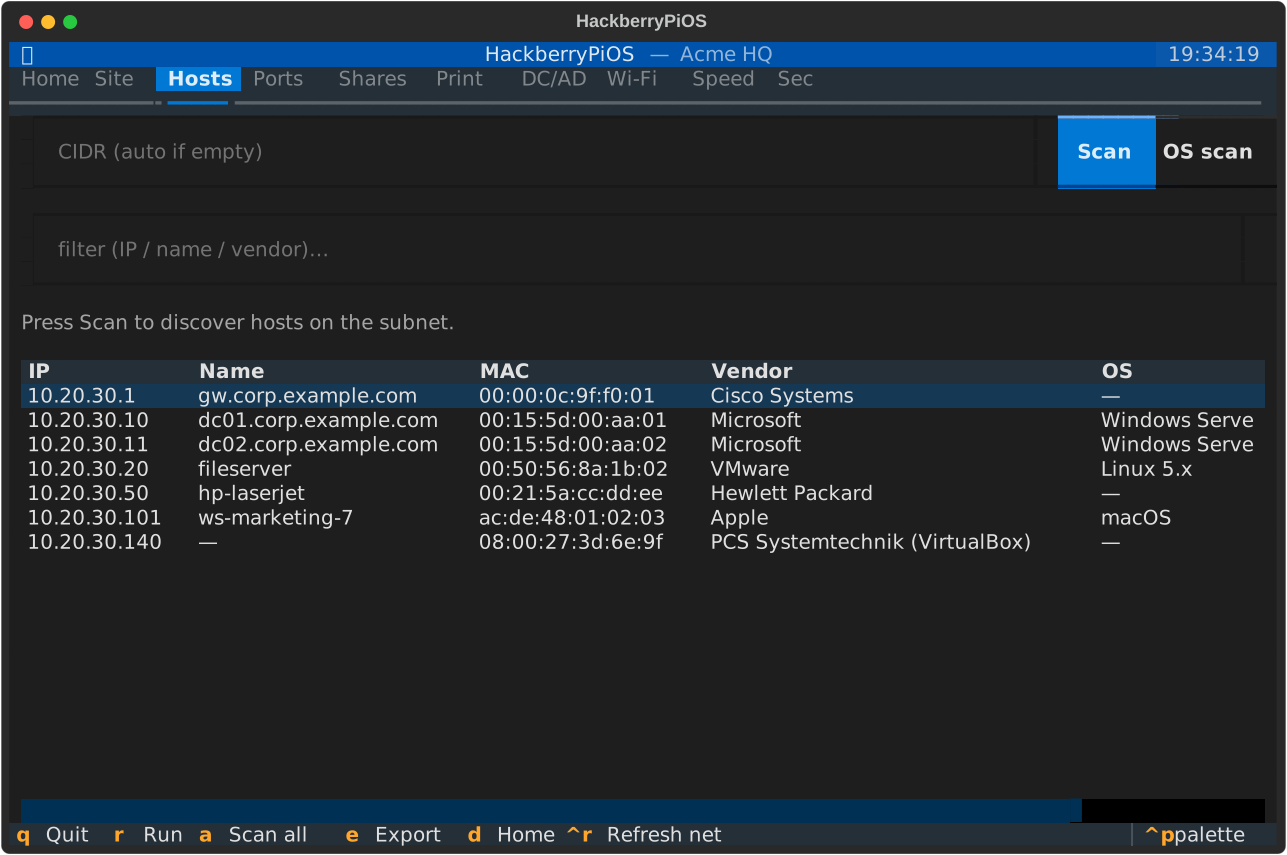
Find every device by IP, name, MAC, full-OUI vendor and OS fingerprint using arp-scannmap → ARP cache, with reverse-DNS and NetBIOS name resolution and live filtering.

📂

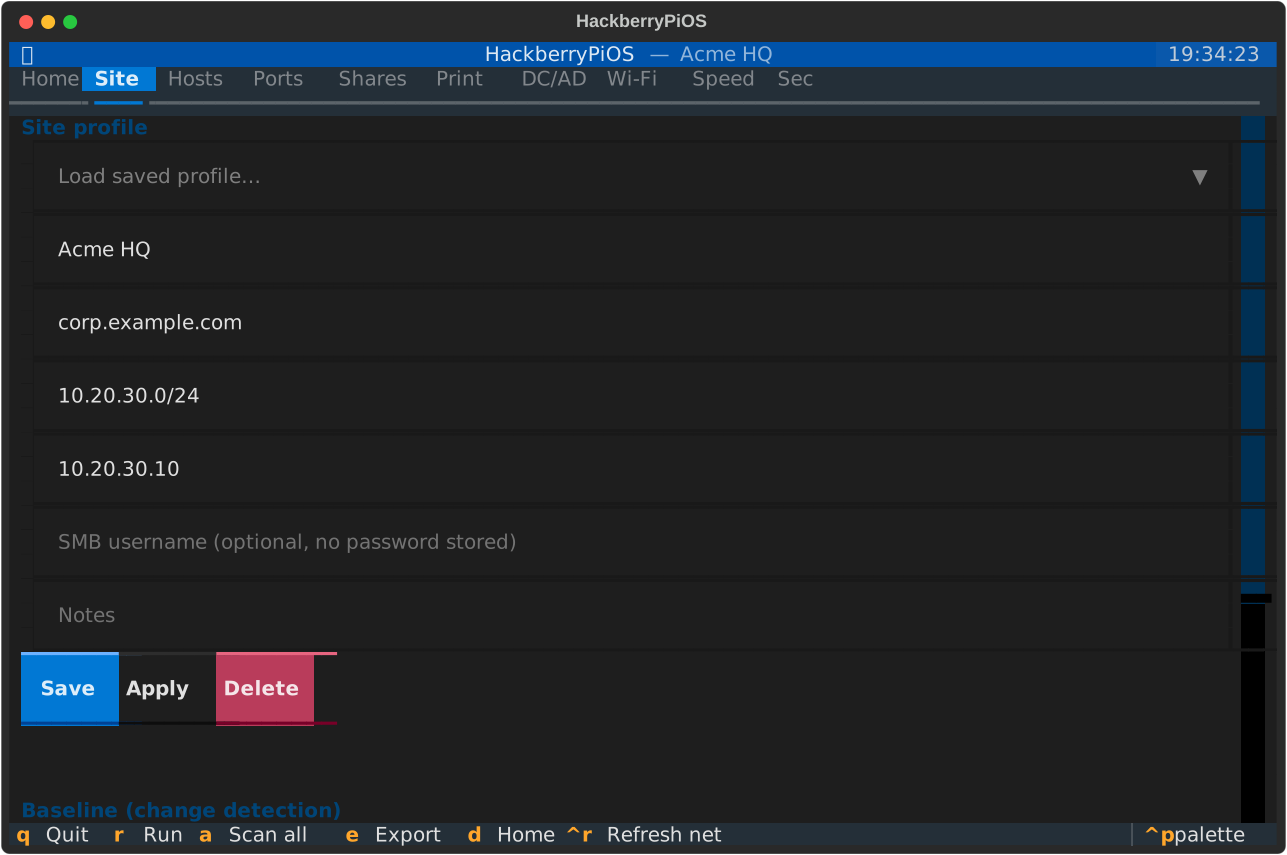
Site profiles

Save each network's context — AD domain, subnet, NTP server, notes. Arrive on site and it's "load profile → scan". Passwords are never stored.

🧭

Baseline & change detection

Save the host set, then diff on your next visit: new (rogue?), missing and changed devices — at a glance.

🏛️

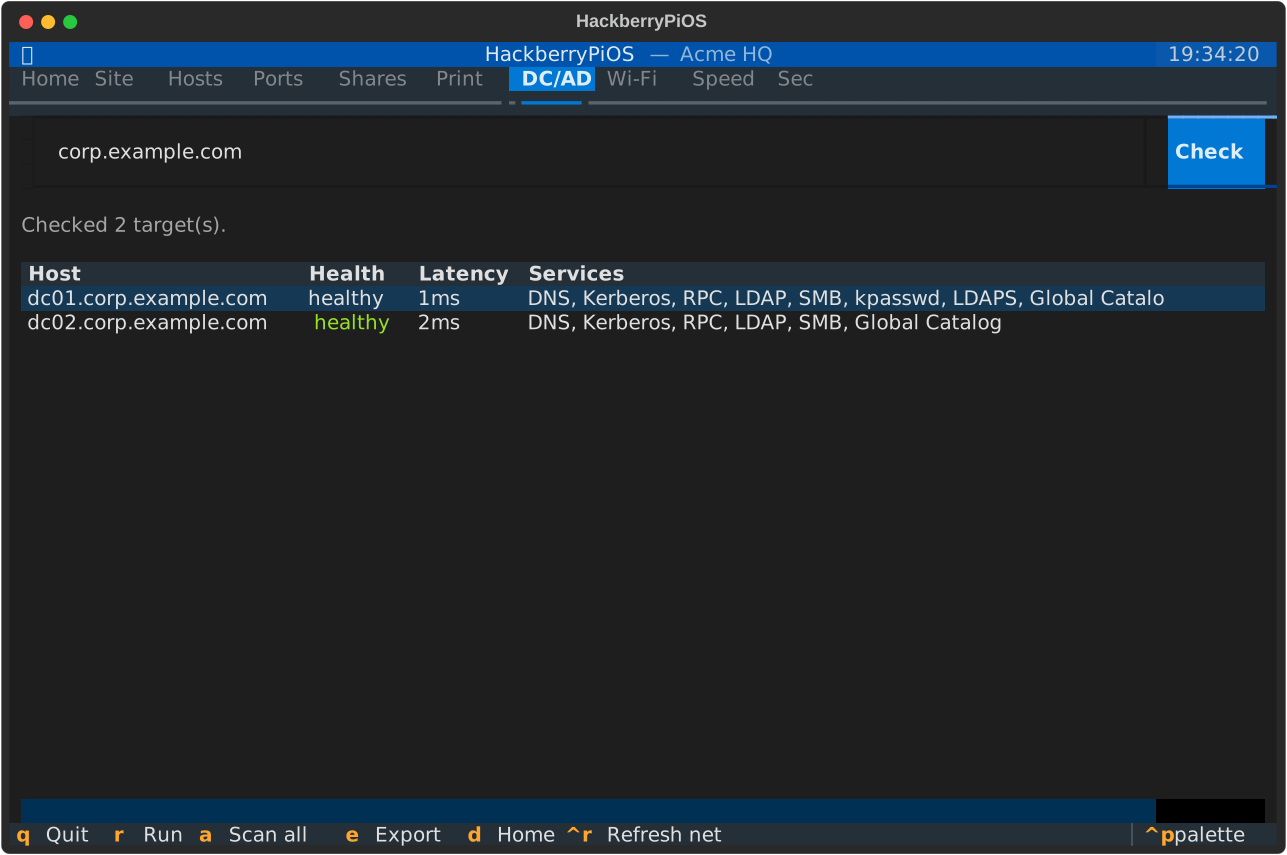
Domain Controller checks

Locate DCs via AD's DNS SRV records and health-check Kerberos, LDAP/LDAPS, SMB and the Global Catalog with latency.

📁

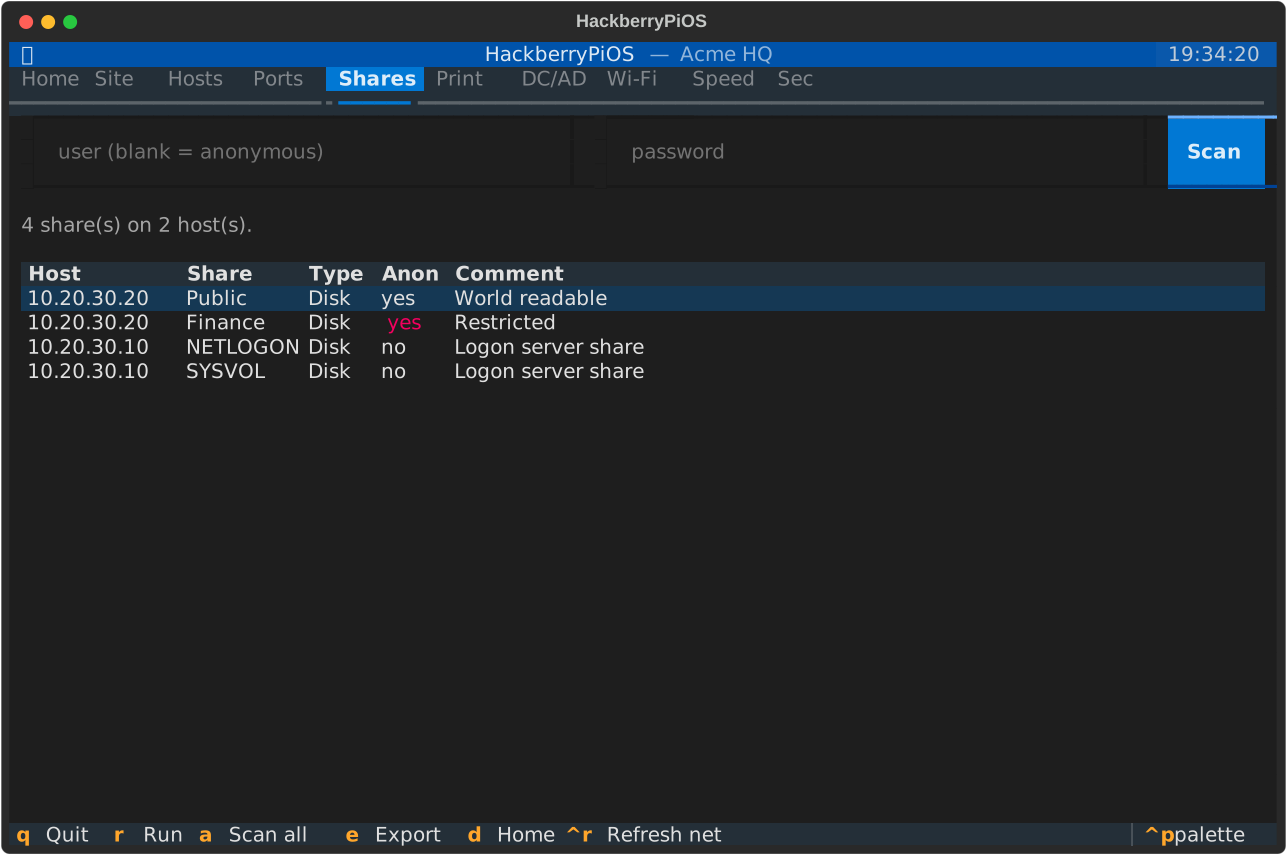
Shared drives (SMB)

Enumerate shares per host and flag anonymous / guest-readable shares — a common, high-impact misconfiguration.

🔌

Port & service scanning

Fast top-ports or full scans with service/version detection. Pure-Python fallback when nmap isn't installed.

🖨️

Printer discovery

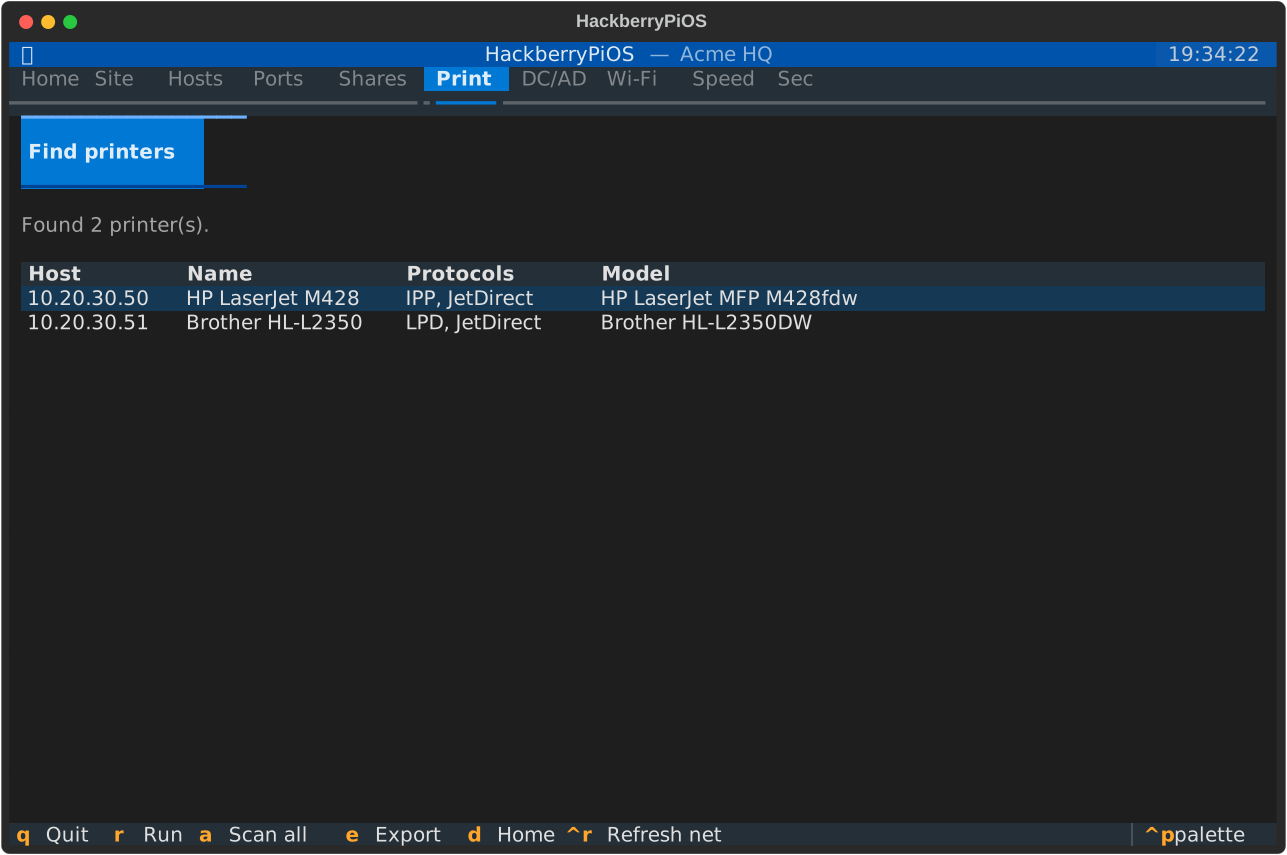
Find printers via mDNS/Bonjour and by probing IPP, LPD and raw JetDirect ports across the subnet.

📶

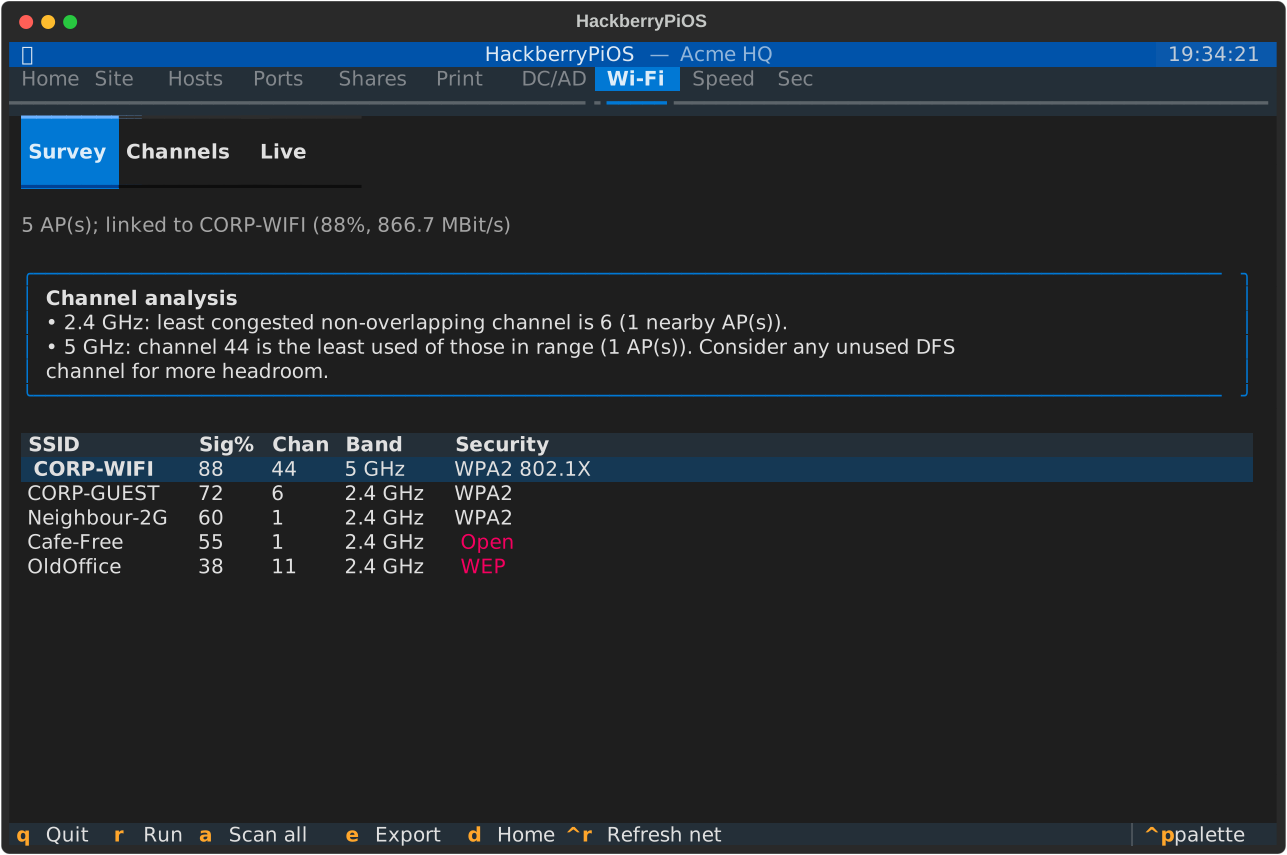
Wi-Fi survey & channels

Nearby APs with signal, channel, band and security; channel-congestion advice; a live site-survey mode; current link quality. Open and WEP/WPA1 networks are flagged.

Speed & latency

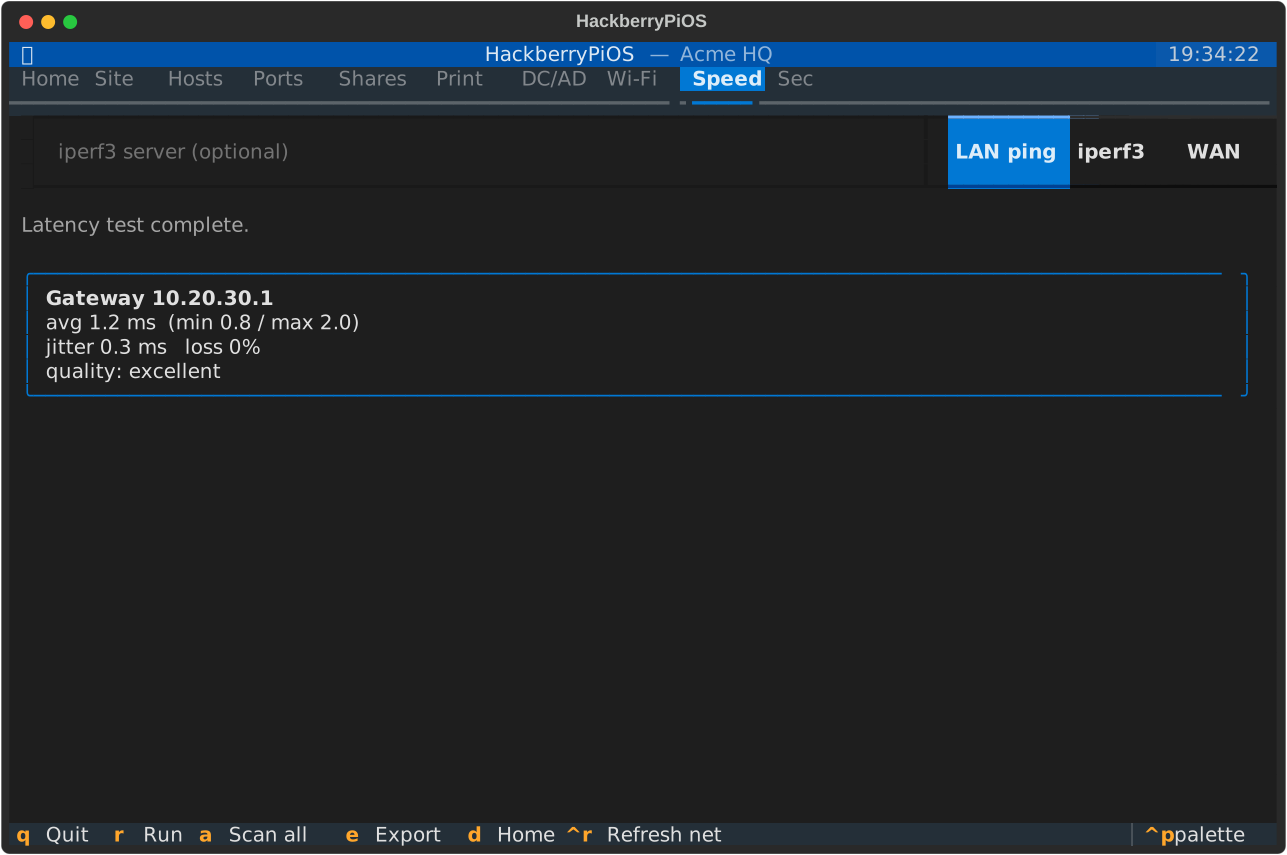
Gateway RTT/jitter/loss, iperf3 LAN throughput, and a quick WAN download sanity check.

🛡️

Security posture

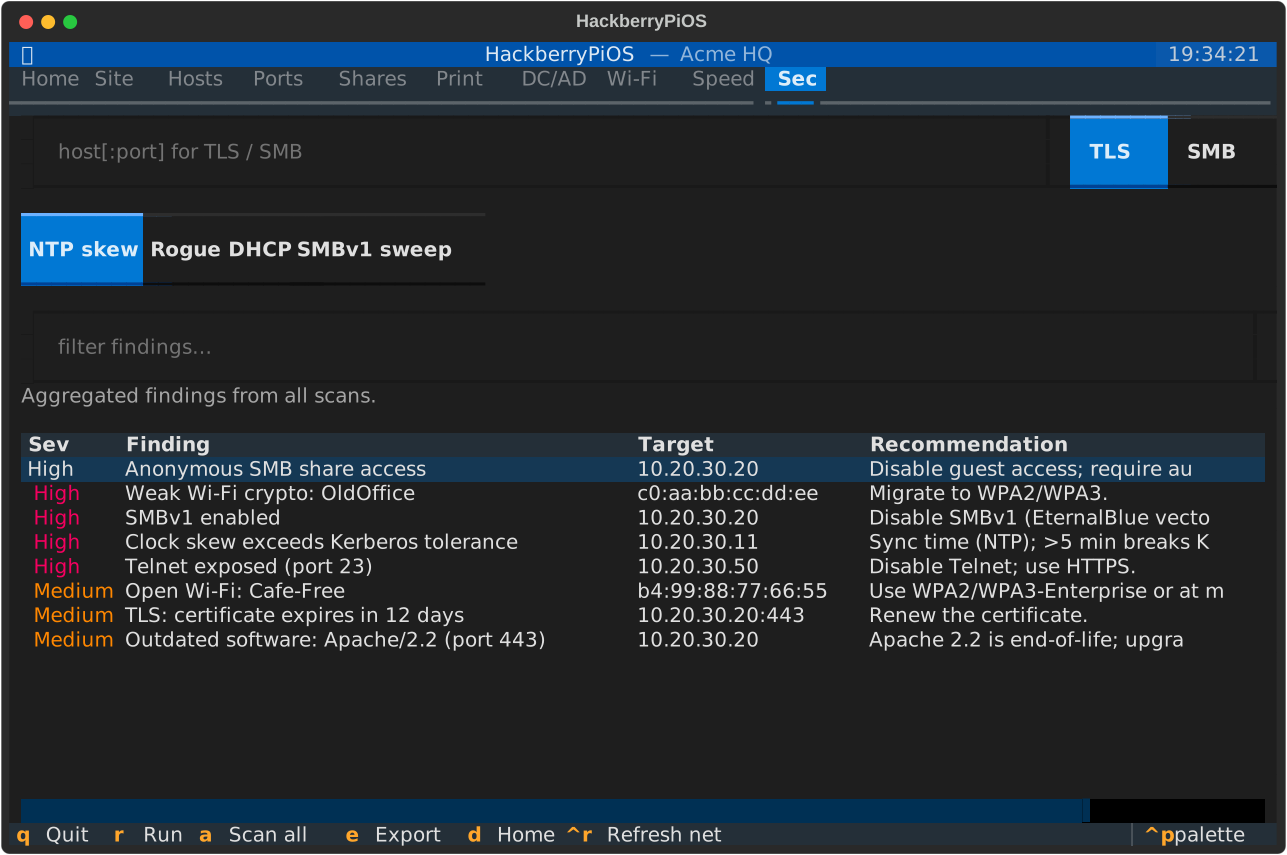
SMBv1/signing (per host or subnet sweep), TLS/certificate checks, NTP clock-skew, rogue-DHCP detection, version-based CVE hints — severity-sorted.

📄

HTML / PDF reports

One click produces a styled, self-contained report — score, recommendations, baseline diff and every result — to hand to a client or colleague.
See it in action

Real exports from the terminal UI. Crisp SVG — zoom in as far as you like.

Dashboard
Home dashboardHealth score + prioritised recommendations, refreshed after every scan.
Hosts
HostsIP, name, MAC, vendor and OS for every discovered device, with live filtering.
Site profiles
Site profilesPer-network context, baselines and report export — built for repeat visits.
Domain controllers
DC / ADLocated via SRV records, health-checked across the AD port set.
SMB shares
SharesAnonymous-readable shares highlighted in red.
Wi-Fi survey
Wi-FiAPs ranked by signal with channel-congestion advice; open & weak crypto flagged.
Security findings
SecurityTLS, clock-skew, rogue-DHCP, CVE hints & more — severity-sorted with fixes.
Printers
PrintersDiscovered via mDNS and printing-port probes.
Speed test
SpeedLatency, jitter, loss and throughput at a glance.

Installation

Built for Raspberry Pi OS (Bookworm+). One script does it all.

# Clone and install (system tools + Python venv + capabilities)
git clone https://github.com/fmatsch/HackberryPiOS.git
cd HackberryPiOS
./install.sh

# Launch the terminal UI
.venv/bin/hackberrypios

Auto-launch on the device

Make the UI open automatically when you log in on the handheld's console — and turn it off just as easily.

./scripts/autostart.sh enable
./scripts/autostart.sh disable
./scripts/autostart.sh status

Only triggers on the primary console (tty1), so SSH sessions are never affected. Suppress a single boot with HPI_NO_AUTOSTART=1.

Headless / scripted mode

Run a full sweep over SSH or on a schedule and export JSON.

hackberrypios --cli
hackberrypios --cli \
  --domain corp.example.com \
  --json report.json
hackberrypios --cli --print-json | jq .

Usage

Fully keyboard-operable — ideal for the HackberryPi's hardware keyboard.

Key bindings

Switch between tabs
rRun the current tab's default scan
aScan all — full sweep across every capability
dJump to the Home dashboard
Ctrl+RRe-read local network info
eExport a JSON report
qQuit

Typical flow

  • Connect the HackberryPi to the target network.
  • Launch — it auto-detects interface, subnet, gateway, DNS and AD domain.
  • Press a for a full sweep across every tool.
  • Read the score and recommendations on Home.
  • Select a host on the Hosts tab to pre-fill the Ports & Security tabs.
  • Press e to export a full JSON report for your records.

Scope & safety

A defensive, administration-focused tool — by design.

Authorised use only. Run HackberryPiOS only against networks and devices you own or are explicitly authorised to assess. Active discovery and port scanning can trip intrusion-detection systems.

It does

  • Enumerate and identify hosts, services, shares and printers
  • Locate & reachability-check domain controllers
  • Read SMB protocol / signing capability (standard nmap NSE)
  • Passively survey Wi-Fi and measure link quality
  • Measure latency and throughput

It never

  • Exploits any vulnerability
  • Brute-forces or guesses credentials
  • Writes to, modifies or deletes anything remote
  • Performs DoS, flooding or Wi-Fi deauth attacks
  • Captures or cracks Wi-Fi handshakes

Full details in SECURITY.md, USAGE.md and ARCHITECTURE.md.